
Case study | UX/UI
Winalia.gg
Redesigning the interface of a platform where players bet real money on their Fortnite matches.
The problem
An interface that asked for a credit card without earning trust.
Winalia has two modes: Ranked, which is free and brings players in, and WinaMatch, where players stake W-Coins to win a prize pool. That’s where the revenue is, so that’s where the interface has to be flawless.
I audited the product page by page. Confusing navigation, weak call-to-action buttons on the screens that make money, a dashboard with no focal point, no visual feedback after an action, and a broken mobile layout.
Its players spend their days on Fortnite, Discord and Twitch. Next to those, anything approximate gets noticed.
Before / after
The Dashboard
Before the redesign
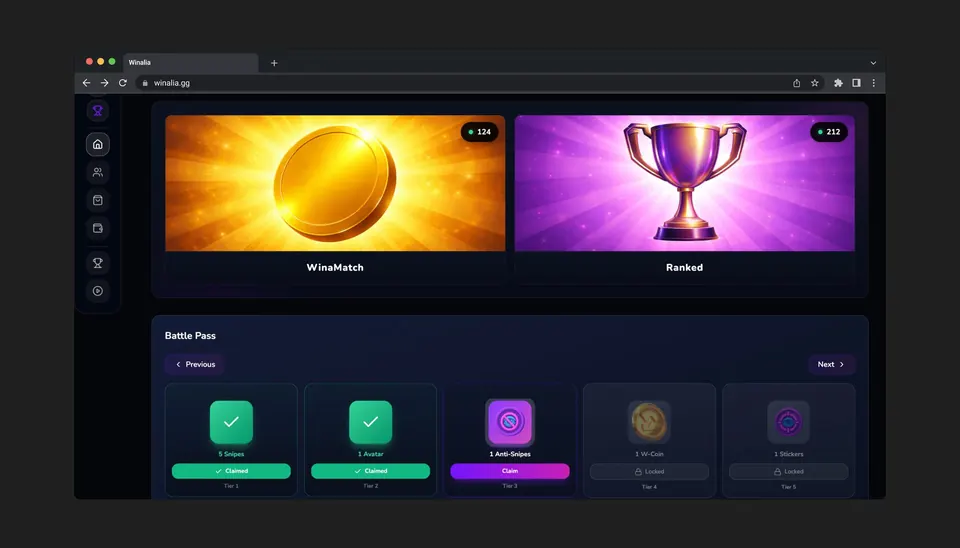
Two decorative banners taking over the top of the page, an isolated welcome message, the Battle Pass pushed aside. Nothing tells you where to click.
After the redesign
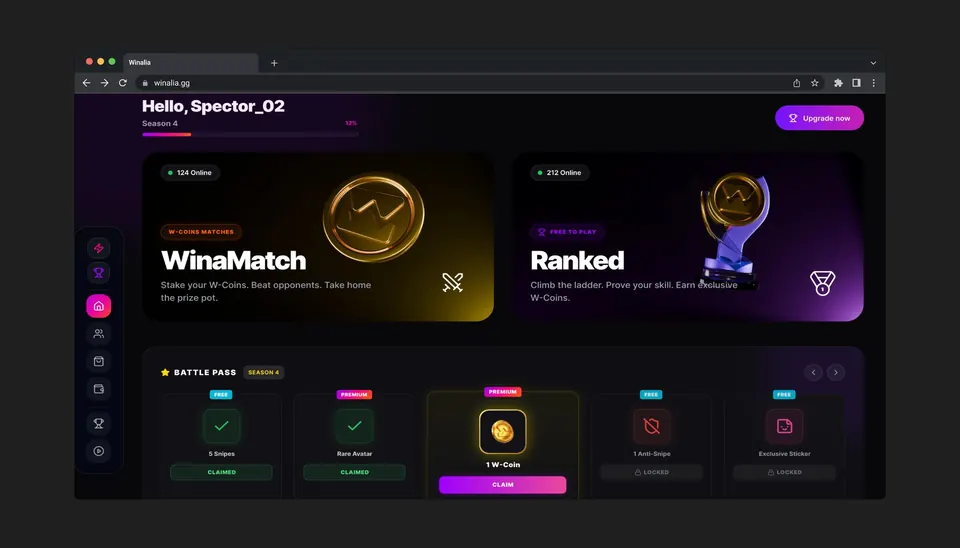
Welcome and progress merged, both game modes side by side and clickable, the Battle Pass repositioned as a retention lever.
The process
Four steps, with no access to users.
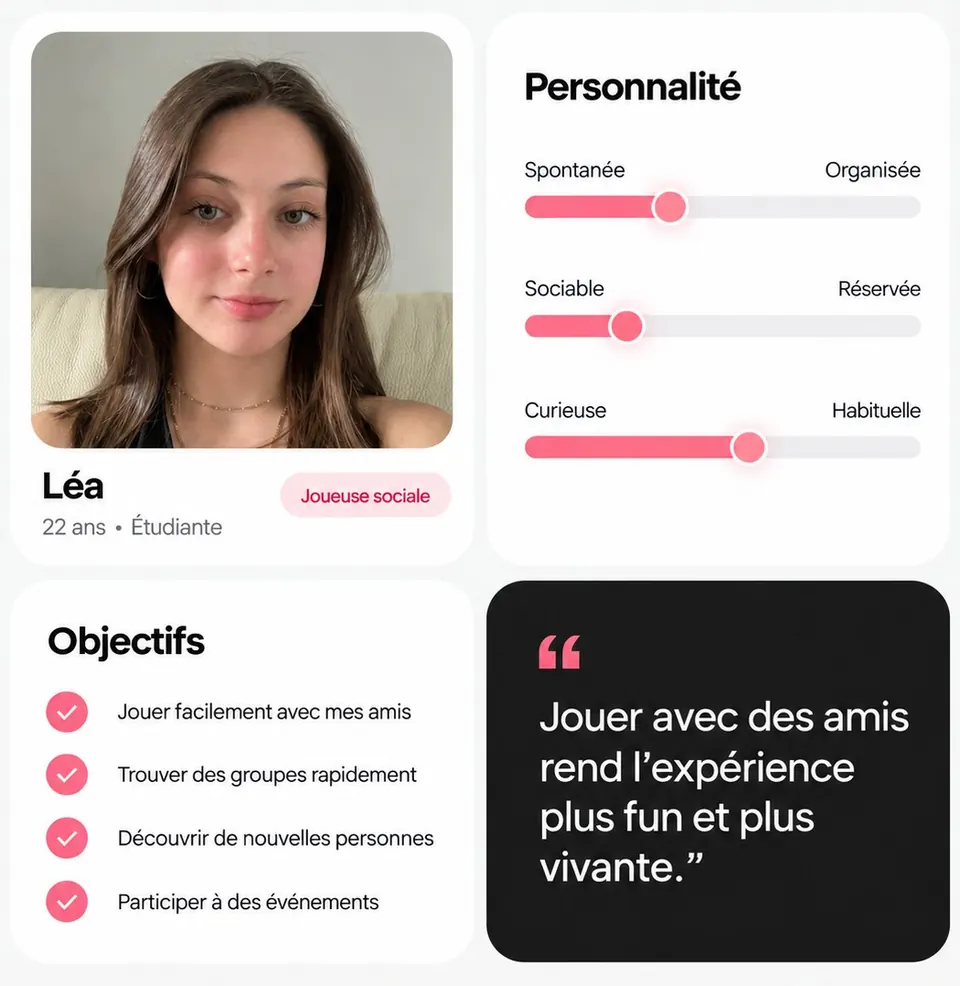
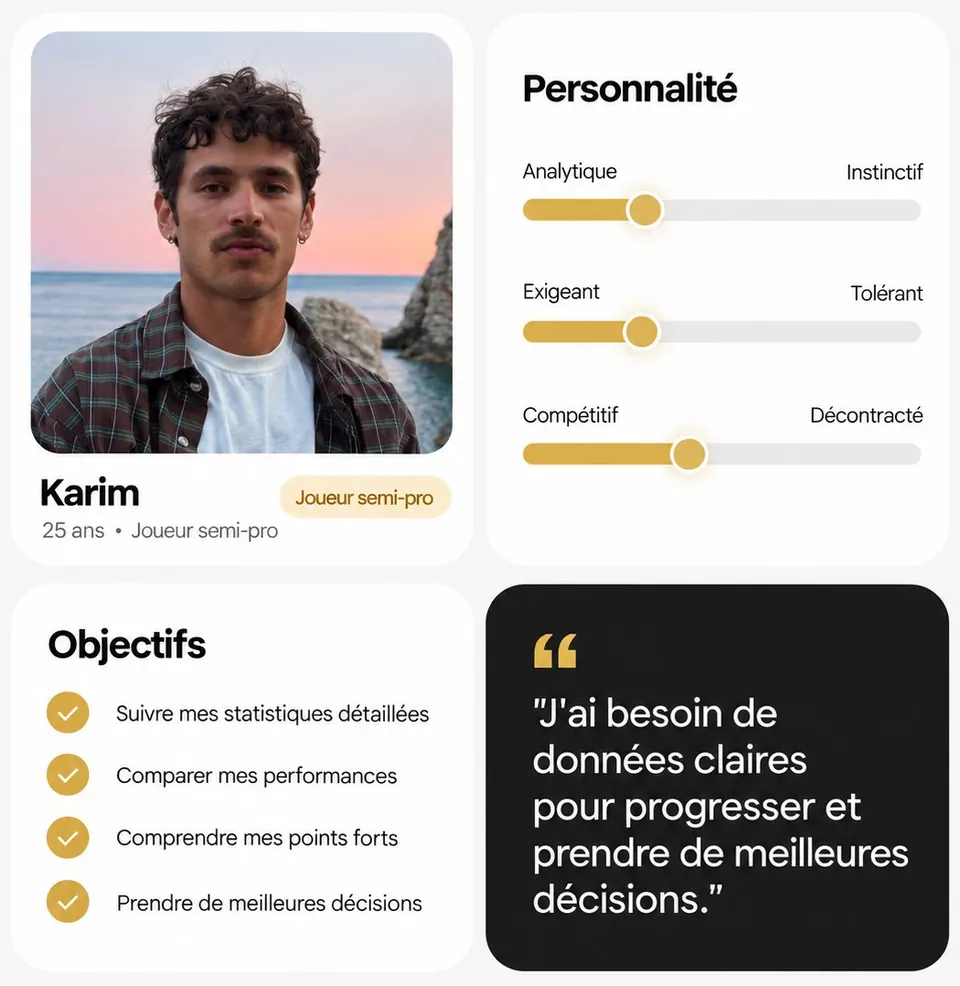
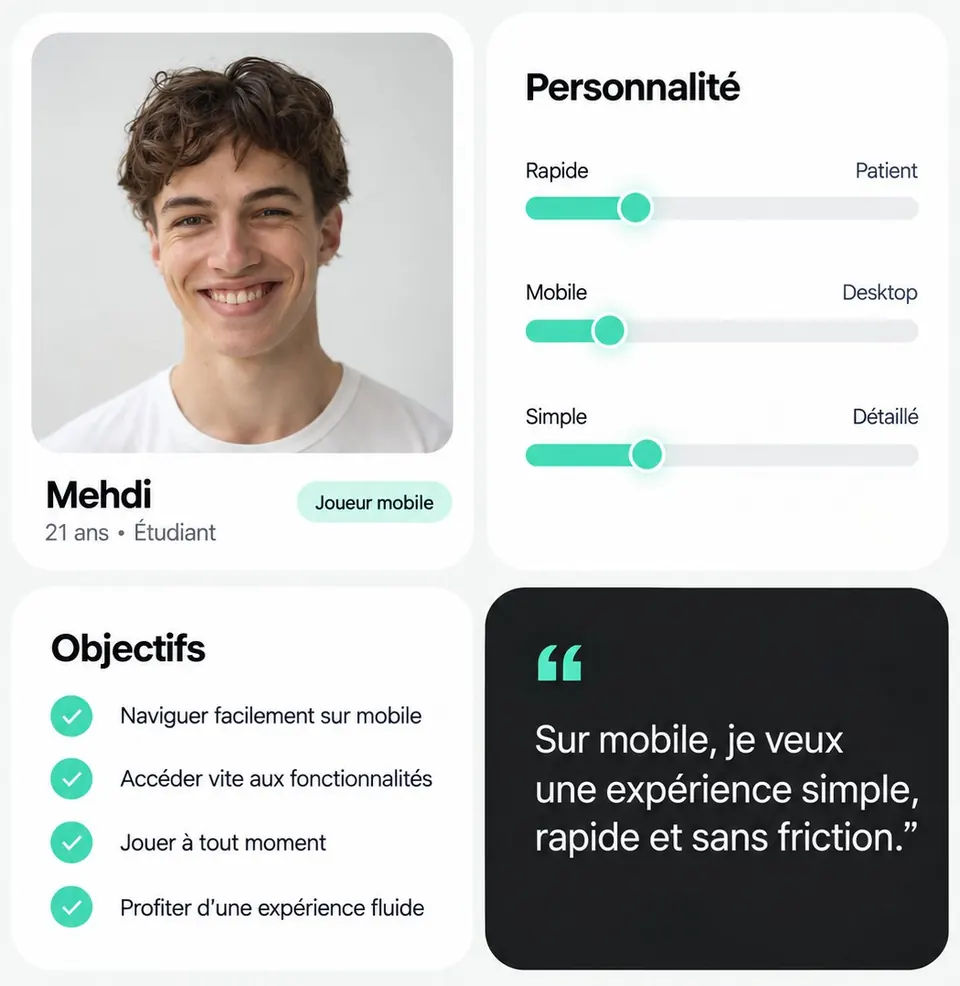
User testing wasn’t possible on this project. So I based every decision on what I could document: the existing product, the competition, and profiles validated by the founders, who know their community better than anyone.
Audit
18 issues found page by page and ranked by severity.
Benchmark
8 competing platforms analyzed.
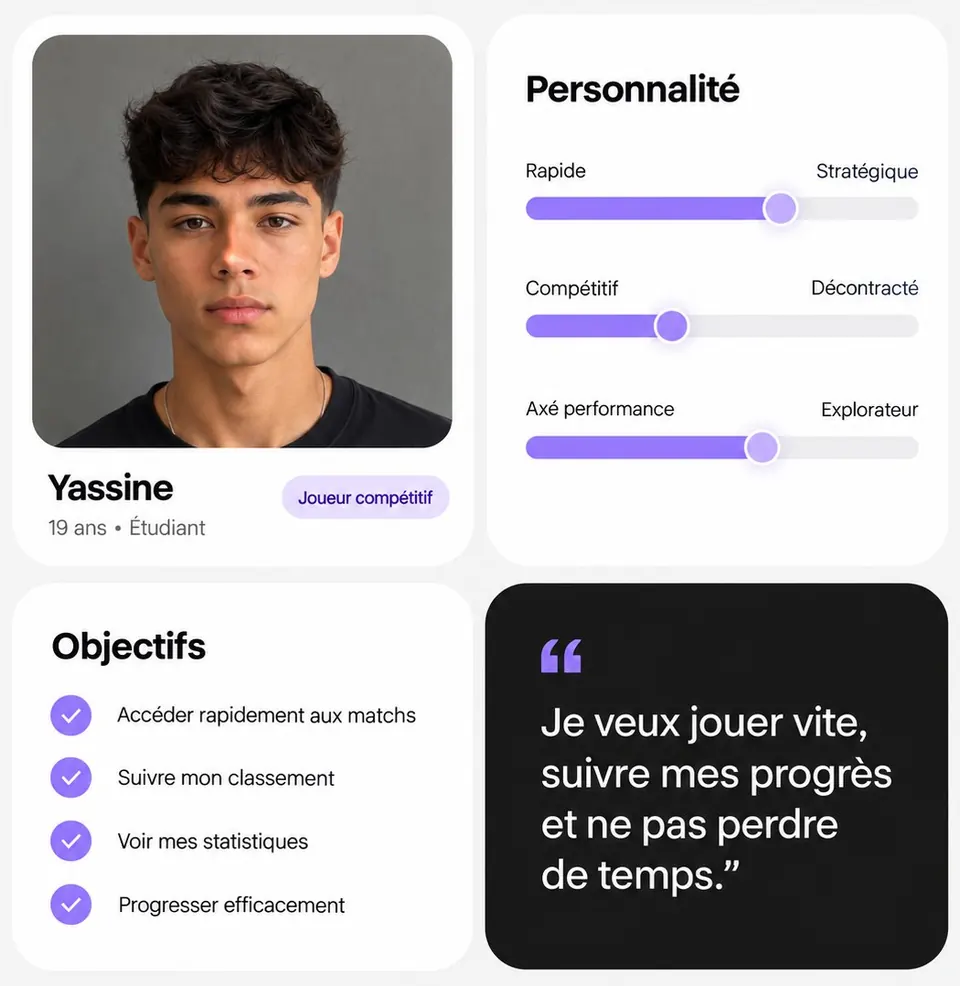
Personas
4 player profiles built with the founders.
Design
3 to 5 versions per screen before sign-off.
The decisions
Three calls that shaped the redesign.
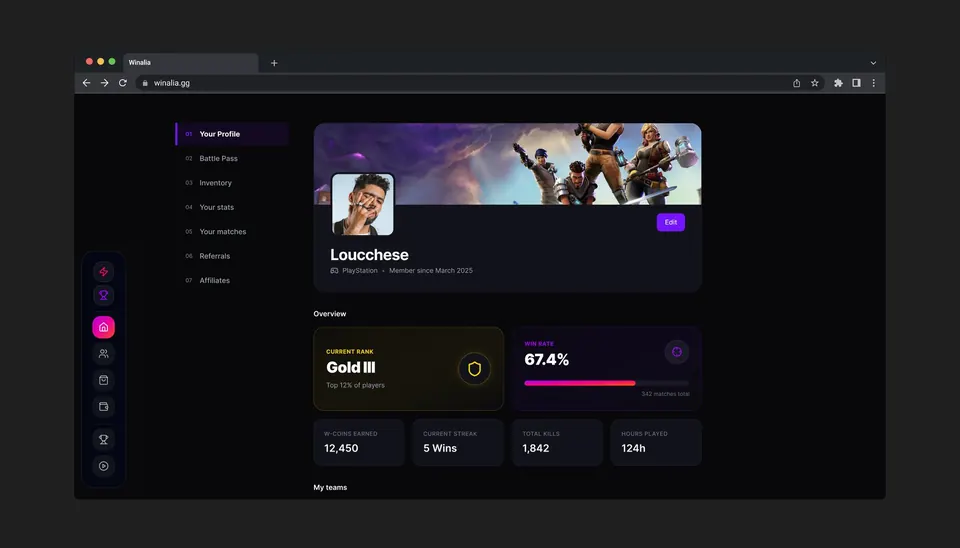
Match history reads like a bank statement.
On a platform where people deposit money, the list of games can’t look like a social feed. Same rows, same dates, same money in and money out as a bank account. The visual language of banking builds the credibility that game design can’t.
A shop that shows less, and shows it well.
The old shop dumped the whole catalog at once. I borrowed Discord’s approach: a featured selection first, then a few categories. Showing everything doesn’t sell more.
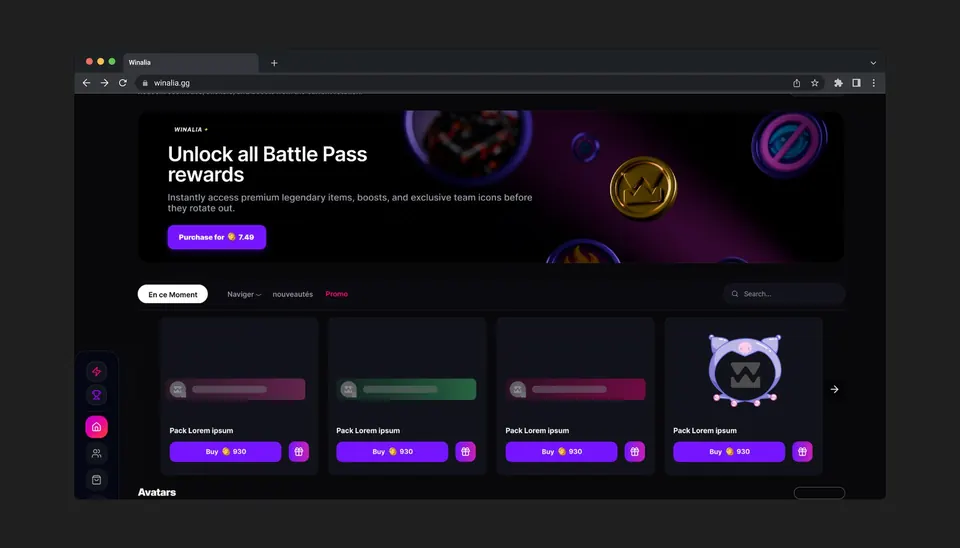
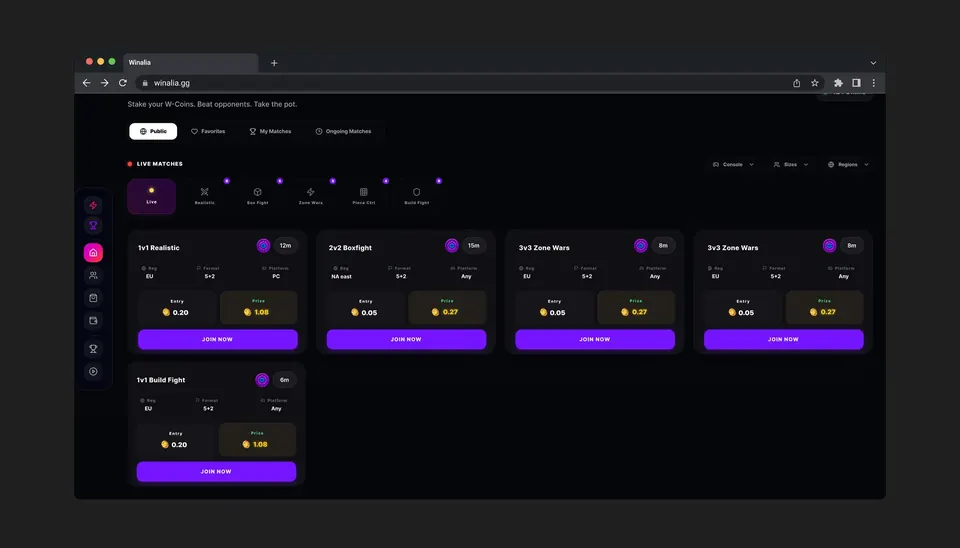
Navigation designed for two ways of holding the screen.
A 72 px sidebar that expands on hover on desktop, a fixed bottom bar on mobile. On WinaMatch, the entry fee and the prize pool are visible on every card: the information that drives the action should never take a click.
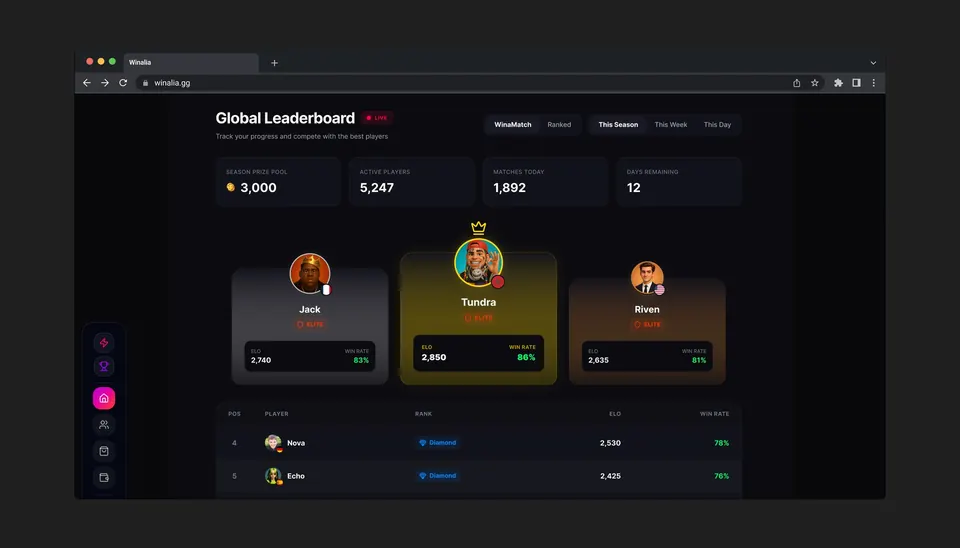
Delivered
Five screens, and a system that goes beyond them.
A very dark background, a single action color with no gradient, one color reserved for W-Coins, Inter in several weights, no forced capitals. The system was built from day one to cover more than the first five screens.
The back-and-forth
Three versions of the Dashboard, two corrections from the client.
I delivered a screen as a PDF, got feedback within 24 hours, and iterated. In V1, I had separated the hero from the welcome message. Tom’s feedback: “merge them.” In V2, I had put the stats before the favorites: “flip the order.” V3 was approved.
What I took away
My first two versions thought like a designer. Tom thought like a user.
What a player wants to see when opening the app is where to play next, not their stats. He was right both times.
What I’d do differently: ask those questions before designing, not after the first mockup. Three rounds on one screen isn’t a problem in itself, but two of them could have been a ten-minute conversation upfront.
The mockups are currently being implemented. This project is confidential; some elements have been simplified.